
Home › Forums › Products › Stompboxes › H9 Gen2 – Unable to configure dual external footswitch via CTRL input
- This topic has 14 replies, 4 voices, and was last updated 2 months, 4 weeks ago by
jubrandas.
-
AuthorPosts
-
-
July 27, 2026 at 7:47 pm #196452
Hi everyone,
I recently got an Eventide H9 Gen2 and I’m trying to use an external footswitch with two switches through the CTRL input on the back of the pedal.
I’m using a TRS cable and connected the footswitch directly to the CTRL jack.
I went to:
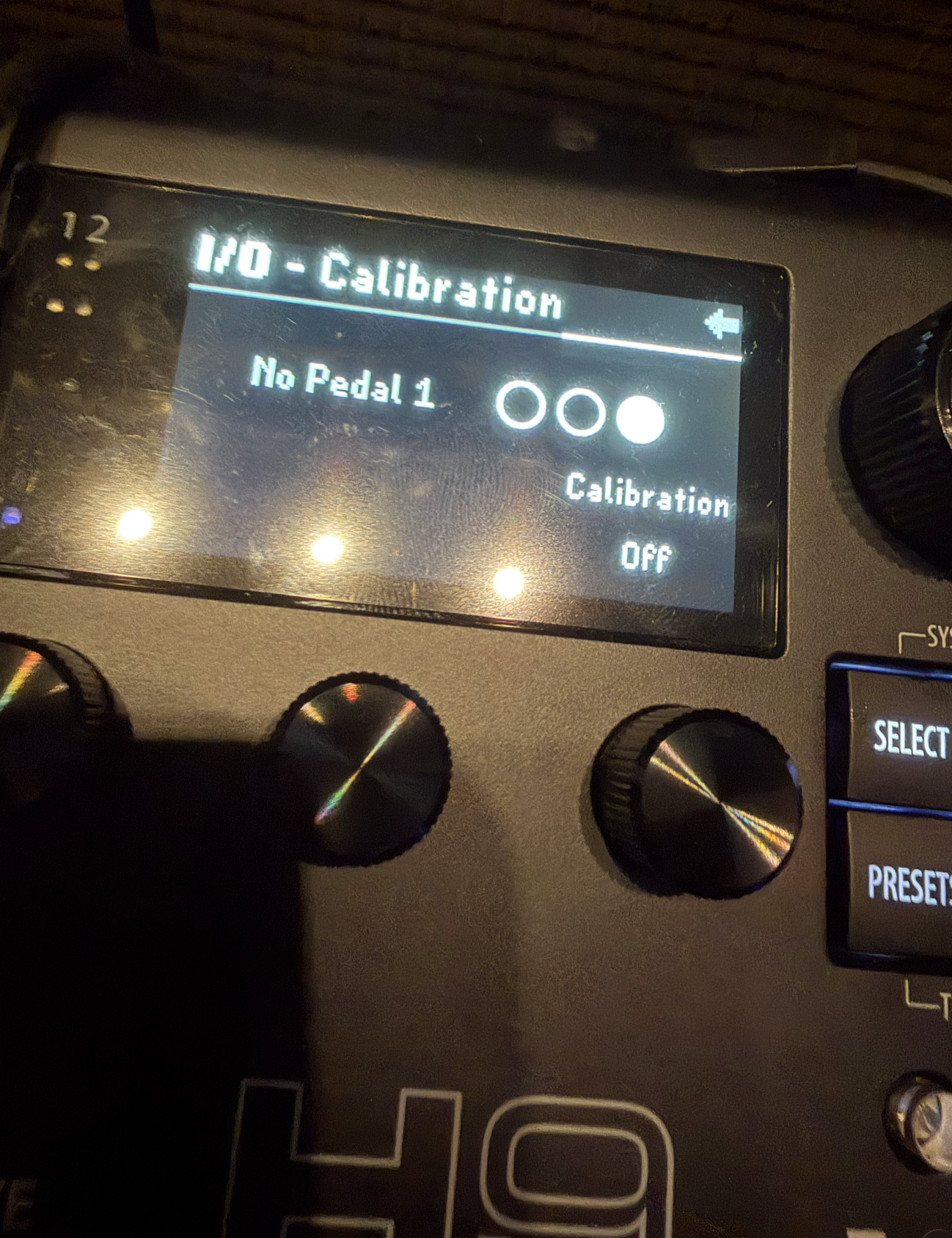
I/O → Calibration
and also
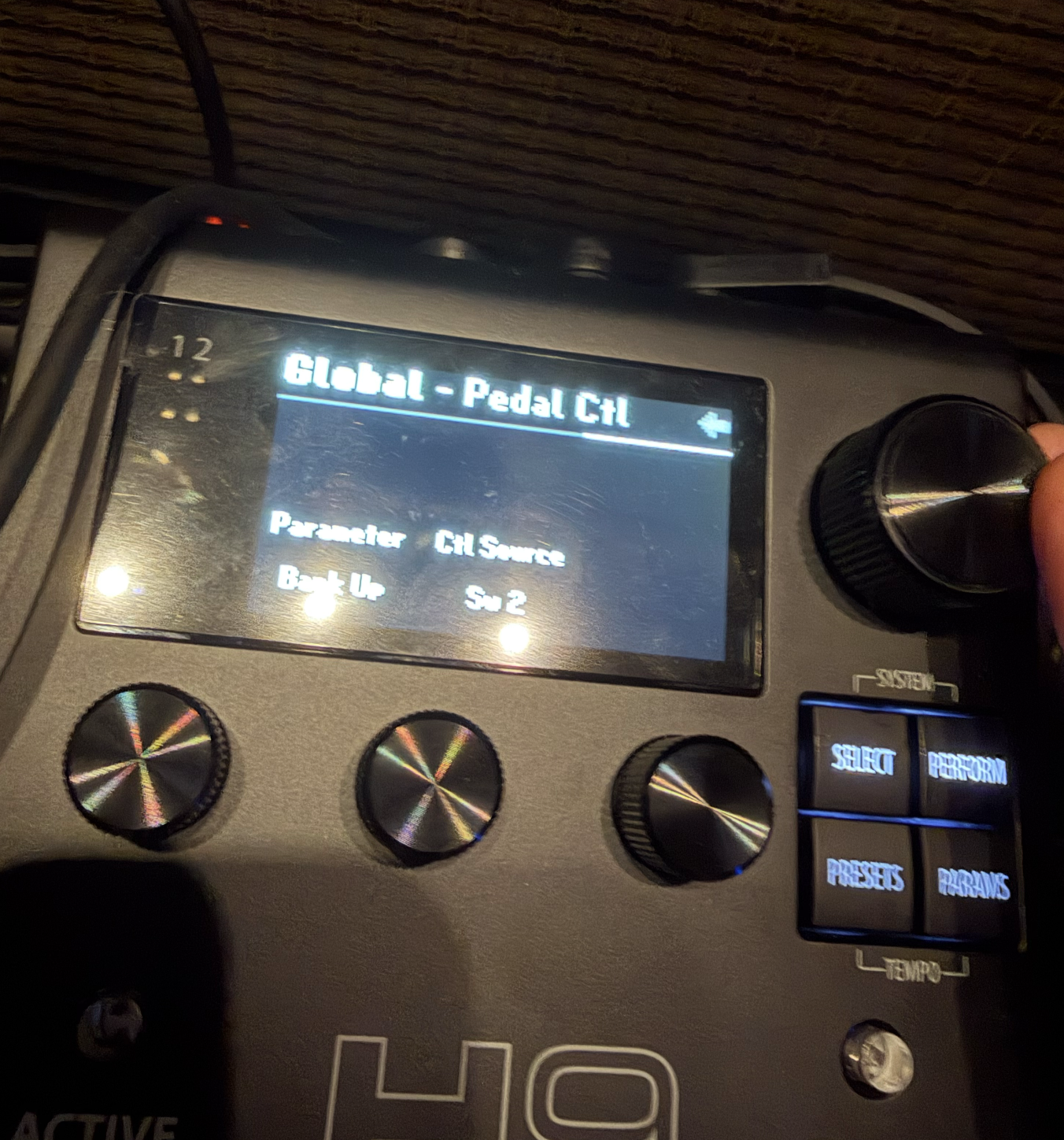
Global → Pedal CtlThe H9 seems to detect something during calibration, but I haven’t been able to get the two switches to actually control anything.
For example, under Global → Pedal Ctl, I tried assigning a function such as Bank Up to Sw 2, but pressing the external footswitch doesn’t change banks or trigger the assigned function.
I’ve attached photos of my current settings.
Is there a specific way I need to calibrate or configure a dual momentary footswitch with the H9 Gen2?
Thanks for the help!
-
July 27, 2026 at 7:51 pm #196453
What kind of switches are they? Are they normally open momentary footswitches? Have you tried a different TRS cable? Do the switch bubbles light up when you press them in calibration mode?
-
July 27, 2026 at 10:24 pm #196454
-
July 27, 2026 at 11:43 pm #196456
When you are in calibration mode and push the buttons, do the bubbles indicate which switch is being pressed?
-
July 28, 2026 at 12:10 am #196457
yes, it does!
-
July 28, 2026 at 9:25 am #196477
You’re in good hands, so forgive my chiming in. But have you updated to the latest Eventide Control version (stickied above)? Just trying to cover all of the bases for your issue.
-
July 28, 2026 at 9:34 am #196478
The easiest way to make sure your connected footswitch is working correctly would be to use the “Learn” function (after calibrating the footswitch).
- Go to Perform Mode
- Press and hold the left or right LED to enter the mapping menu
- Turn quick knob 2 until you see “Learn” for the control source
- Press any switch on your external controller
- You should see it automatically map to that switch
Let me know what happens.
It would also be helpful to know when you are calibrating the 2 button switch, which of the 3 bubbles are lighting up when you press either footswitch?
-
July 28, 2026 at 9:50 pm #196522
Hey Brock, thanks! But it is alll updated
tbskoglund,
when i do it like this, it works, but I can’t find Bank up and Down in this menu in the perform mode, so I can’t map it !thanks
-
July 28, 2026 at 10:08 pm #196525
Bank Up and Bank down are not Performance parameters. They can only be mapped in the System menu under Global, third page under Global-Pedal Control.
-
July 28, 2026 at 10:10 pm #196526
Bank up and Bank down commands are meant to be used when in Bank mode to go up or down bank pages. Is that what you’re trying to do? Or, are you simply trying to increment and load or Decrement and load the next preset?
-
July 28, 2026 at 10:57 pm #196527
that’s what I’m trying to do…am I missing something?
it doesn’t work
-
July 29, 2026 at 12:09 am #196528
Sorry, I don’t know what you mean by “that.” Which of these are you trying to do?
1. change bank pages
or
2. Increment/decrement presets
-
July 29, 2026 at 12:57 am #196529
Sorry, I’ve been trying to post a video and somehow I couldn’t post anymore
im trying to control bank up/down presets with aux switchs 1 and 2and then assing
activate preset switch and tap tempo switch with h9 switches,
does it make sense?
-
July 29, 2026 at 1:03 am #196530
now I get it, I’m so sorry
I actually should set it up as increment/decrement preset! 😅
thank you so much!!!
-
-
July 28, 2026 at 9:53 pm #196523
-
-
AuthorPosts


- You must be logged in to reply to this topic.
