
Home › Forums › Products › Stompboxes › H90: Cannot assign external footswitch to looper functions anymore
Tagged: footswitch, H90, looper
- This topic has 3 replies, 2 voices, and was last updated 2 months ago by
tbskoglund
Eventide Staff.
-
AuthorPosts
-
-
January 18, 2026 at 4:00 pm #194303
Hi,
For context: I have an H90 running in force mono output, I use it with a bass guitar and an EHX stompbox which I use as an insert.
So the bass guitar goes into IN 1, my stompbox uses IN 3 and OUT 3, and then I feed the amp from OUT 1.
Moreover, I have a Digitech FS300 footswitch in EXP/CTL 2 connected.
Everything worked out just fine, up until I did erroneously overwrite my “Looper” program. It was nothing fancy, the only special thing was that I had mapped my external footswitches to REC/PLAY/STOP. So, to be as clear as possible:
FS4: REC
FS5: PLAY
FS6: STOP
I tried to replicate this setup in H90 control on a new program (using only one preset, a simple looper) but there are no options anymore in H90 control for assigning those functions to the external footswitches!
Surely I must be doing something wrong (I did it a year ago or so, it worked up until 10 minutes ago), hence my request for help.
Attaching some screenshots—as you can see, I get the looper controls only for FS5 but not for the other two buttons.
Attachments:
You must be logged in to view attached files. -
January 19, 2026 at 9:09 am #194309
Hello,
The Performance Footswitch mapping menu you are viewing is for mapping the H90 onboard footswitches (P/A/B) to various parameter when using Perform Mode.
If you would like to map the Looper transport functions to an external controller, you need to use the Perform Parameter Mapping menu below:
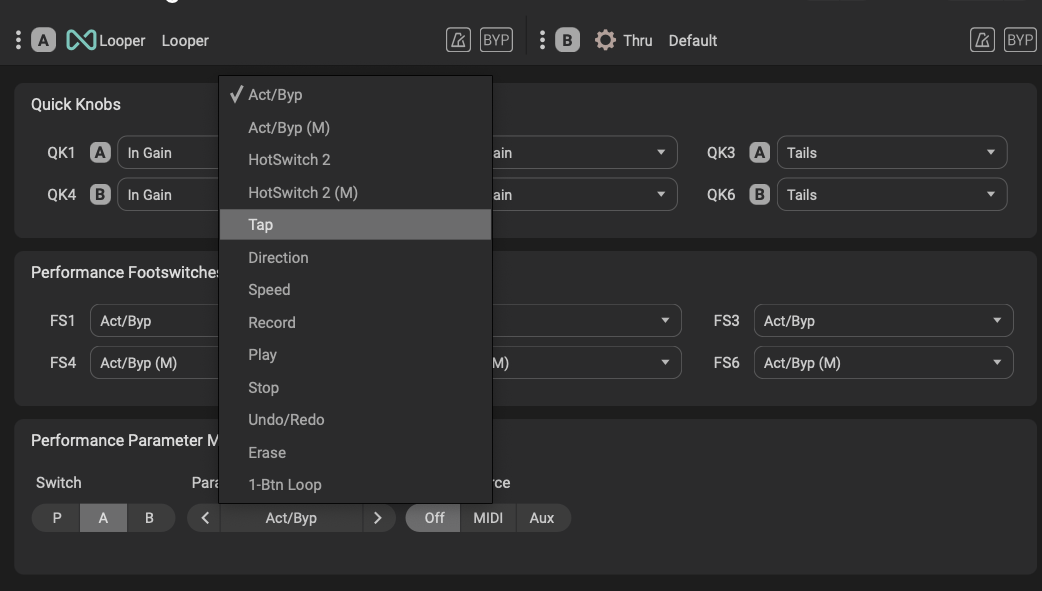
This screenshot shows the Record parameter mapped to Switch #4.

-
January 19, 2026 at 9:44 am #194312
Thanks for the prompt reply! Apologies on my side for such a silly question, “luckily” my pedalboard (H90 included) is a set-and-forget box for me which gets set up and then just played a lot…which means given enough time from the last setup has passed, I forget how to do things (-:
Thanks again!
-
January 19, 2026 at 10:58 am #194313
No problem! Happy to help. No apology necessary, I know it can be frustrating if your setup changes and you can’t remember how to get it back to normal.
-
-
AuthorPosts


- You must be logged in to reply to this topic.
