Sorry for the frustration.
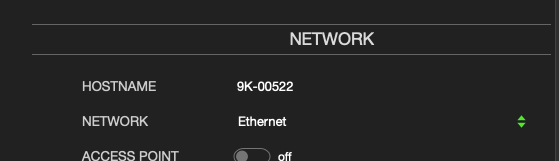
If you connect the H9000 via ethernet first, you can then switch to Wi-Fi using Emote, and that will allow you to type in the Wi-Fi password from your computer keyboard.
See the screenshot below. Clicking the Network dropdown menu will allow you to select Wi-Fi.
We don’t have any plans to support USB keyboard connected directly to the H9000.
Please try the steps above and let me know if you run into any issues.

.


