A Different Kind of Instrument
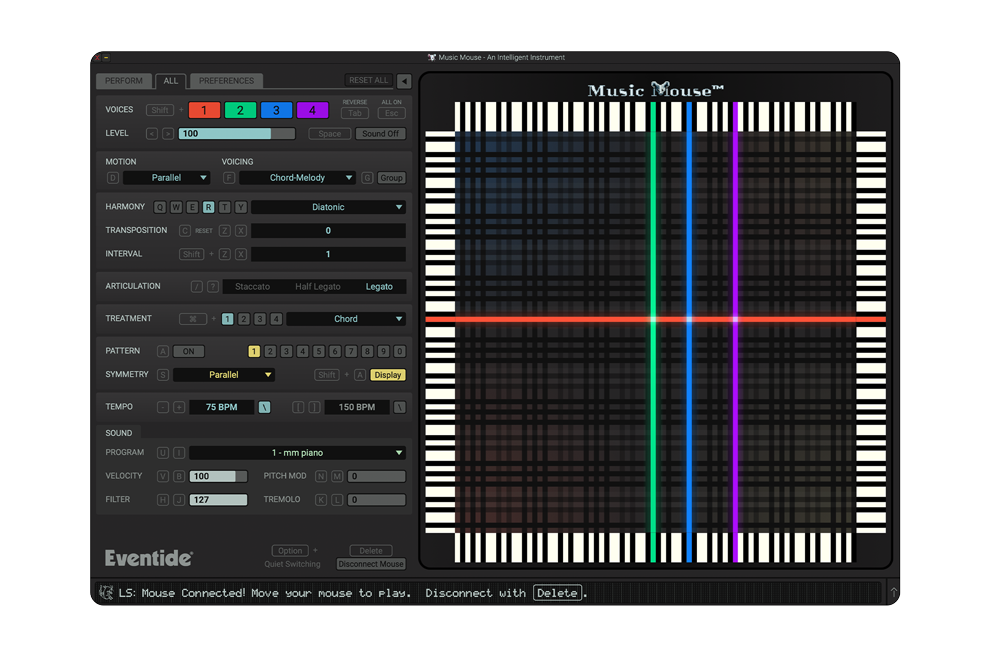
Music Mouse is an instrument that responds in real time to your cursor movements. Created by Laurie Spiegel in the 1980s, Music Mouse translates physical gestures into harmonically structured music. It’s not generative, and it’s not AI. Every note you hear is directly tied to the movement of your cursor and the musical rules you choose.
If you’re new to Music Mouse, here are some tips to get you started.
Let the Cursor Lead the Way
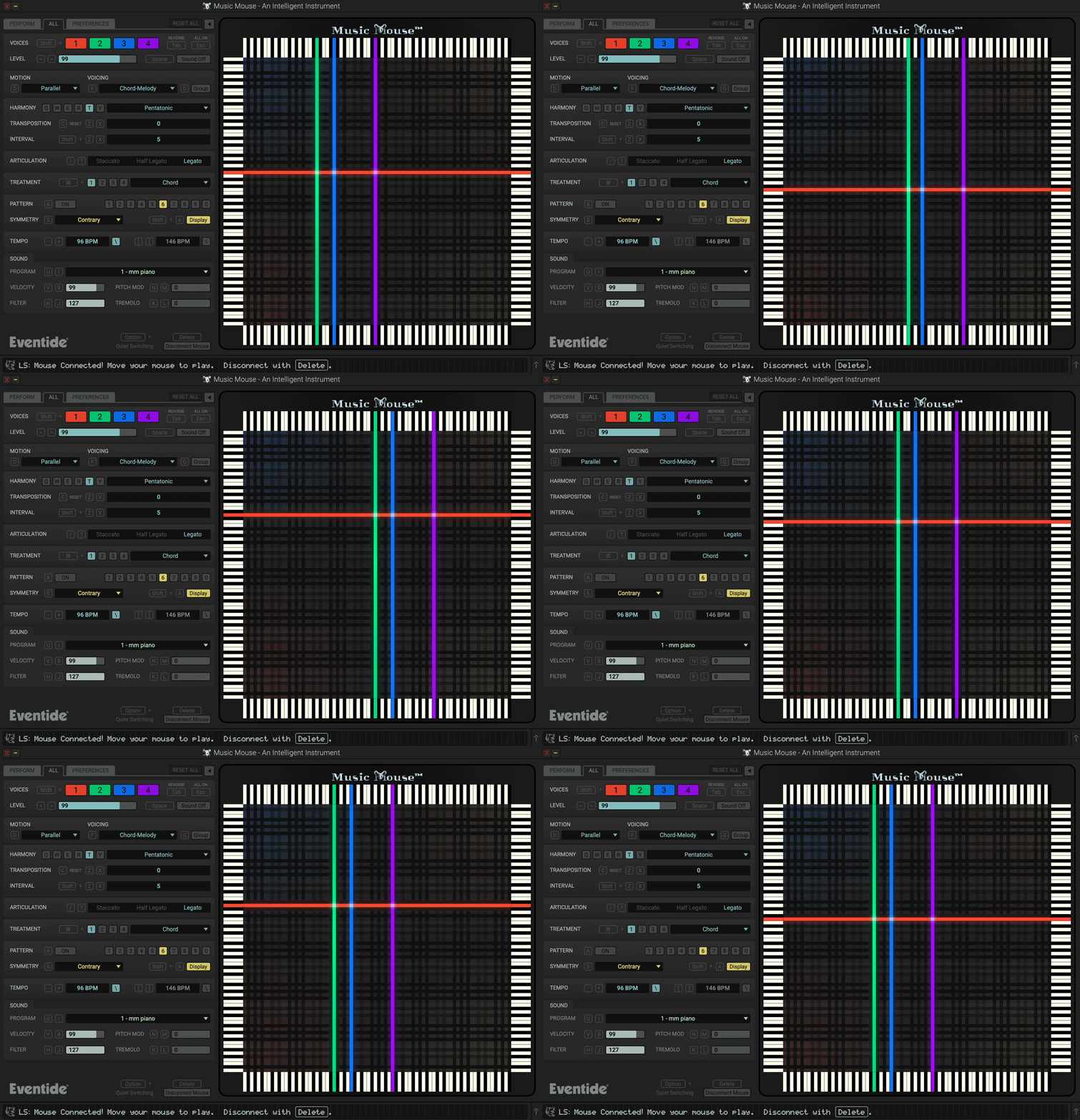
At the center of Music Mouse is the X–Y grid – a piano roll-style performance grid. The four colored lines you see are called the Polyphonic Cursor. These represent four voices.
To activate or deactivate the instrument, press the space bar. Once the translucent lines become solid, you’re live.
Now move the cursor.
As you move, the voices follow your motion. Notes play at regular time intervals, so both pitch and rhythm are quantized automatically.
Move quickly to play a rapid flurry of notes.
Move slowly to shape chords and phrases with intention.
Quick Tip: Click and hold while dragging to reposition the cursor silently. Releasing the mouse will trigger the selected notes instantly.
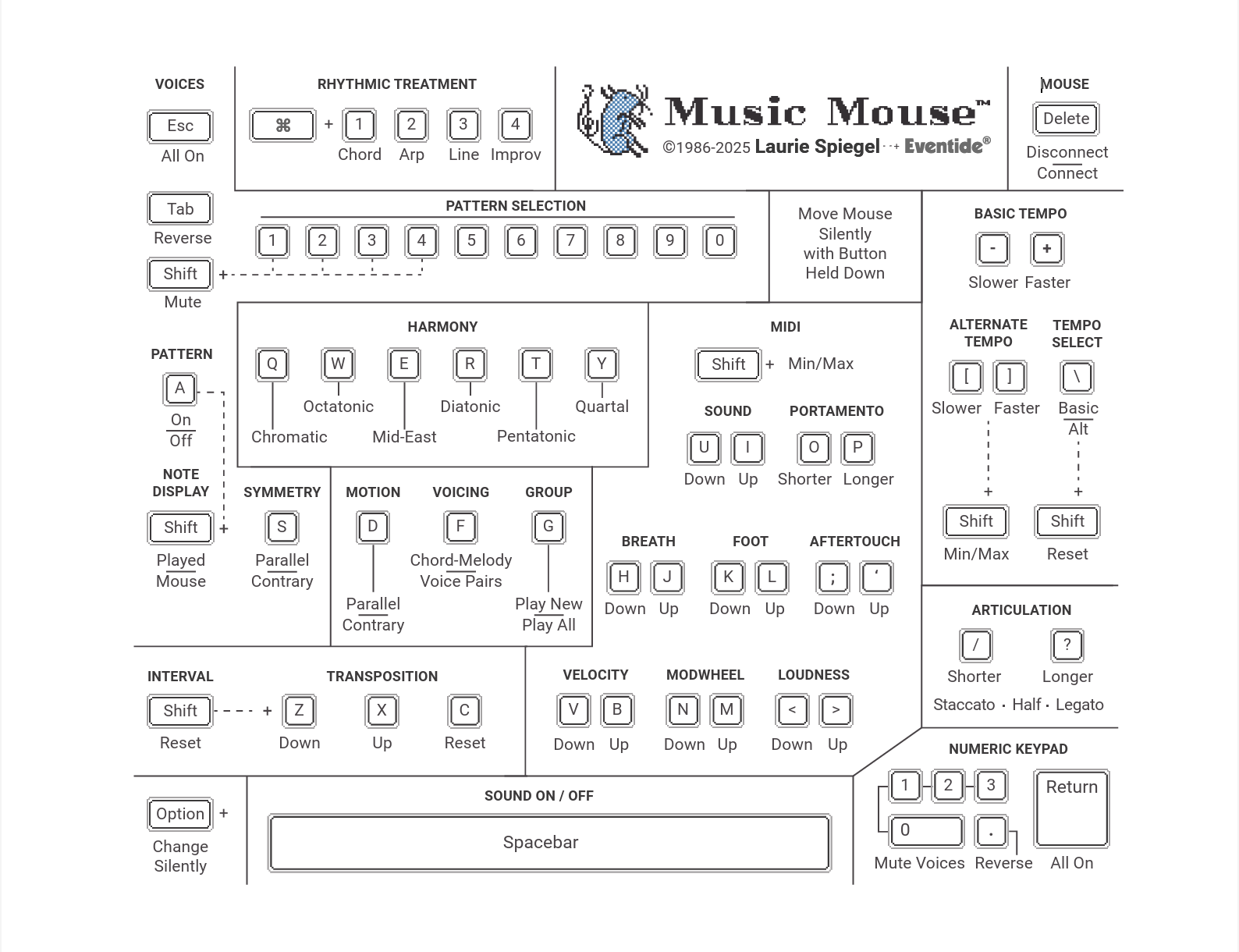
Music Mouse Keyboard Map (Mac)
Download Map for Mac or Windows
Key in the Musical Rules
Once you’re comfortable moving the cursor, it’s time to set the logic that governs Music Mouse.
On the Parameter Panel (controlled by your keyboard), you’ll find the Harmony section. Music Mouse includes six harmonic modes: Chromatic, Octatonic, Middle Eastern, Diatonic, Pentatonic, and Quartal, each of which determines the scale in which the pitches are quantized on the X-Y grid.
You can then use Transposition to change key in half-steps in either direction. Press “C” anytime to reset.
For more dramatic shifts, use Interval to control how far each transposition command jumps. This allows structured key changes inside a performance – ideal for evolving compositions.
The Treatment section controls how notes are articulated and has a large impact on the sorts of sounds you get out of Mousey:
- Chord – All notes play at once
- Arpeggio – Notes quickly play within one beat
- Line – One note plays per beat
- Improv – One note per beat in randomized order (This is actually the only randomized parameter in Music Mouse!)
In short: you set the logic with your keyboard. Music Mouse applies it to your movements.
Sensing a Pattern?
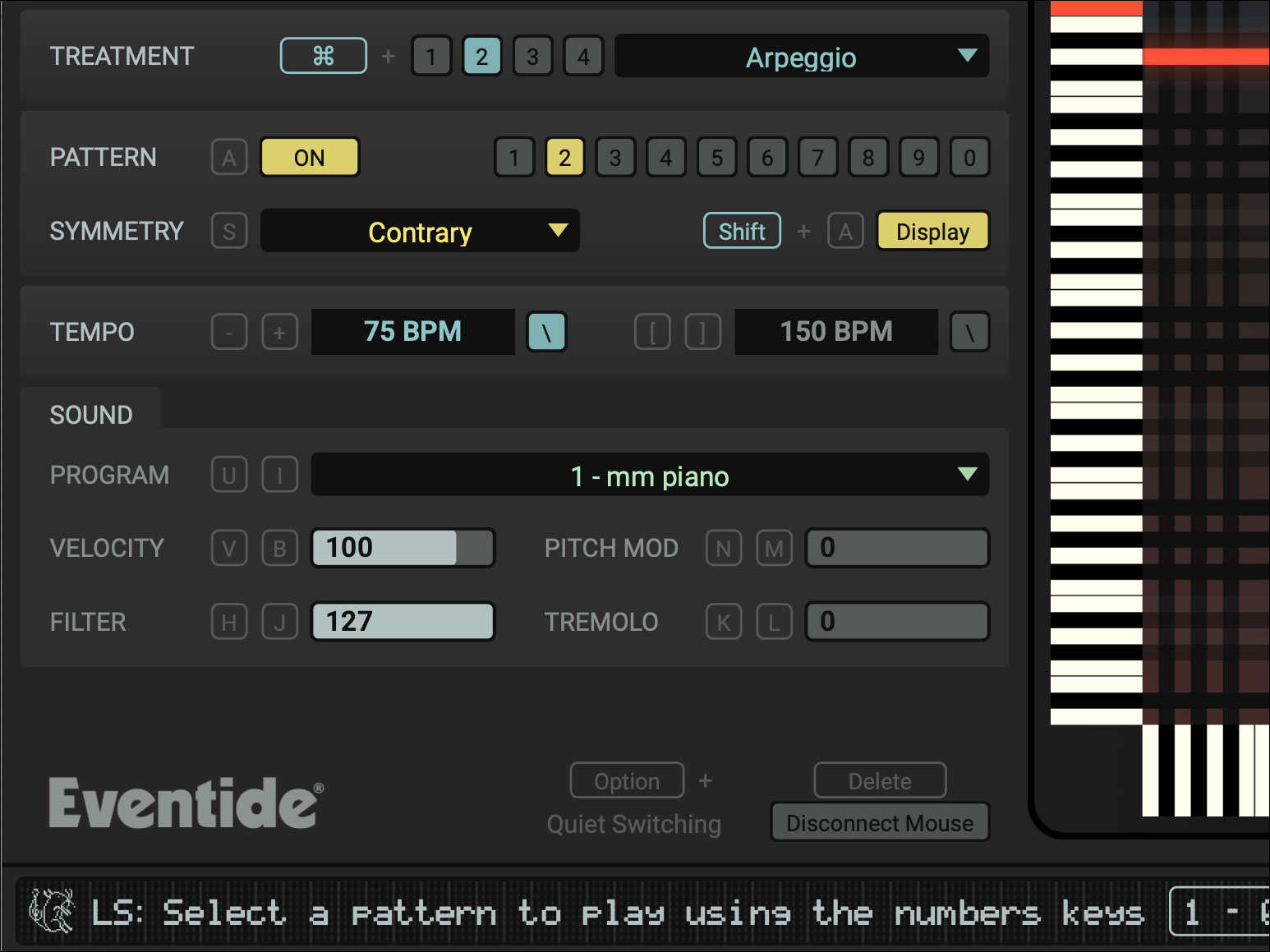
Press A to activate Pattern mode.
Patterns superimpose interval sequences over your current notes. The Polyphonic Cursor begins moving automatically, generating repeating structures based on your input. Use the number keys (1–0) to select different patterns.
Move your mouse while a pattern is playing, and you’ll hear the entire structure shift around your gesture.
The Motion parameter determines how voices move in relation to one other:
- Parallel: Voices move in the same direction.
- Contrary: Voices move in opposite directions.
This single switch can dramatically change the sound of a phrase.
You can also adjust Symmetry, which determines whether pattern changes move in parallel or contrary motion – similar to Motion but applied to sequence behavior.
Patterns turn Music Mouse into a flexible compositional engine that you guide to your musical destination.
Sound Mode vs. MIDI Mode
Music Mouse has two output modes: Sound and MIDI.
In Sound Mode, Music Mouse controls a built-in FM synthesizer. There are 32 preset sounds from Laurie’s library of classic DX7 and TX7 patches.
You can also adjust the Velocity (how hard notes are played), Pitch Mod, Filter, and Tremolo.
Sound Mode is immediate. Simply launch the program and start creating.
Switch to MIDI Mode in Preferences if you want Music Mouse to control external instruments or sync to a DAW.
Enable Clock Sync, then route the “Music Mouse” MIDI port inside Ableton Live, Logic Pro, or your DAW of choice. Once connected, Music Mouse becomes the compositional brain while your DAW handles sound design and production.
Capture MIDI phrases.
Link to your DAW session.
Take control of your hardware.
Advanced Performance Tips
A few small features go a long way:
- Articulation determines how Music Mouse plays back: Staccato plays sixteenth notes, Half Legato plays quarter notes, and Legato holds notes indefinitely until a new note is played.
- Mute and unmute individual voices with keys 1-4 on the number pad. Return toggles all voices back on.
- When Group is enabled, all voices will play when at least one voice has changed notes, otherwise each voice is triggered individually.
- Hold Option while changing settings to make silent adjustments.
- Set two separate Tempos and switch between BPM settings instantly.
- Hide the parameter panel for a streamlined performance layout.
As you get comfortable, the keyboard becomes an extension of the instrument.
Conclusion
Music Mouse rewards exploration. Every phrase reflects your movement, your timing, your decisions. The structure is intelligent, but the expression is left up to you!
Music Mouse is a standalone app available now for macOS and Windows.